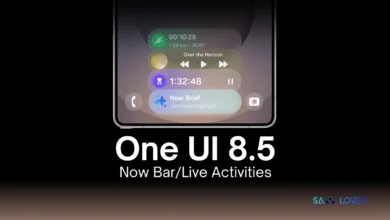
Samsung is said to be bringing its most upgraded software, the One UI 8.5, which is being considered superior to One UI 7 or One UI 8 versions. The leaked One UI 8.5 firmware have already provided a clear picture of the upcoming update; the company seems to be working on some changes for the My Files app as well.
Well, so far, Samsung has offered some major UI redesigns to a handful of apps, including the Samsung Clock, Internet Browser, Calculator, and Reminder & Calendar.
Meanwhile, a newly leaked One UI 8.5 firmware, courtesy of a report from Android Authority, reveals that Samsung is perhaps planning to bring two key features for the My Files app with the One UI 8.5 version. However, the new features are not included in the leaked One UI 8.5 changelog, and thus, the report sheds light on them.
Diving deeper into the newly leaked firmware, the Authority spotted new string codes, signaling the addition of two new and useful features within the My Files app.
First up, the string code indicates that the My Files app will offer short summaries (possibly a toggle) for PDFs and Texts before they are opened, which likely remains in the file browser view. At the same time, the code further suggested that the app will not summarize any PDF or text files containing wrong or inappropriate matter.
Additionally, another series of string codes via the leaked One UI 8.5 firmware suggests that Samsung would be letting the My Files app prompt users to clear their storage clutter in order to make some space for vacation photos and videos by detecting that the user is travelling for a trip. Possibly, it could suggest some ways to clear and manage the phone’s storage space for even more pictures or videos. At the same time, this will be possibly done by tracking the device’s location.
Well, the leaked One UI 8.5 firmware suggests two new features for the My Files app that are supposed to arrive with One UI 8.5; nevertheless, it remains to be seen how Samsung implements them within the app.