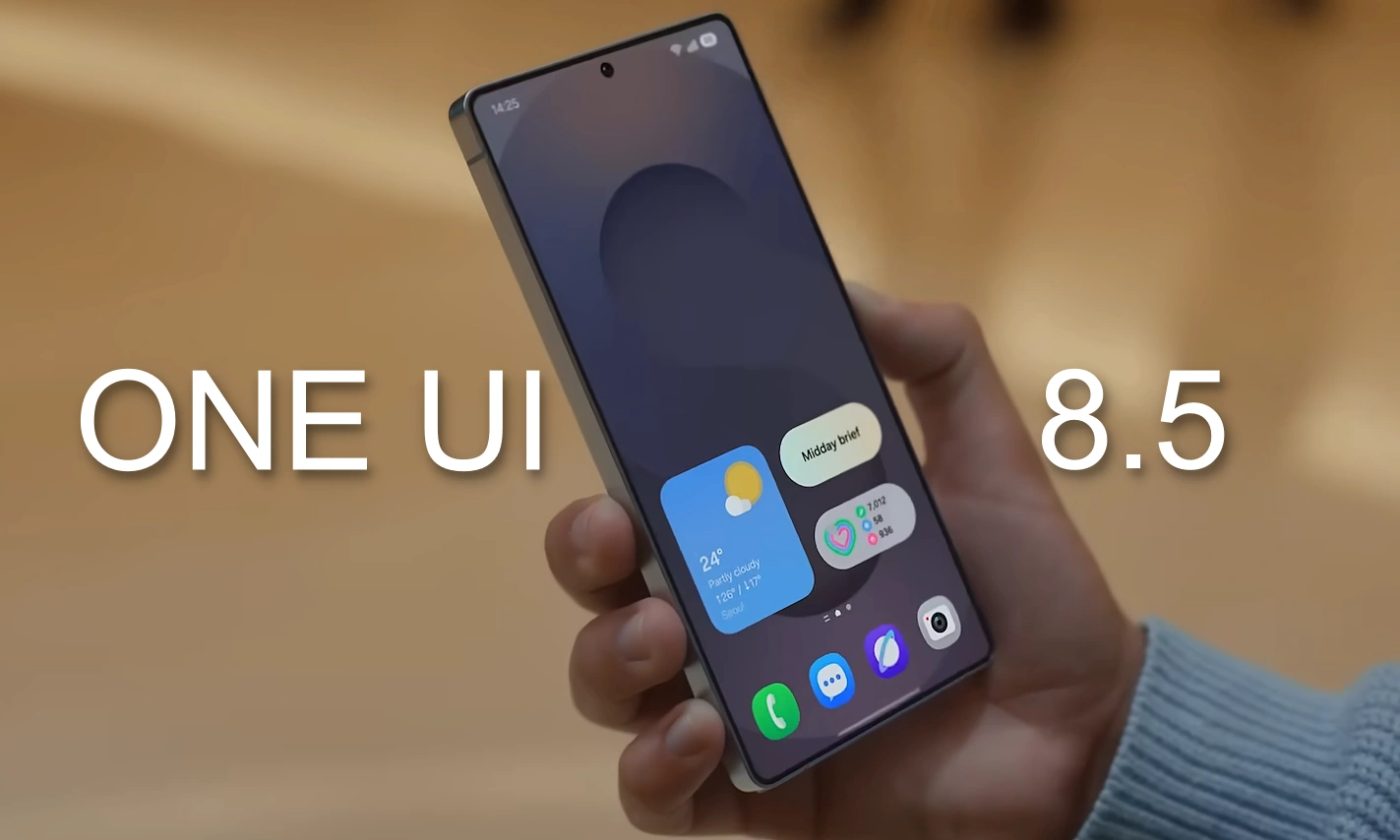
Samsung is in the headlines due to the hype created by its upcoming major software, One UI 8.5, which is supposed to officially debut with the Galaxy S26 series, on board.
The version is apparently taking shape, with the courtesy of the host of leaked firmwares, and the amount of eagerness among fans going around has cleared out the blurry picture, providing a perspective that could help guess what Samsung’s next-gen major update holds!
Meanwhile, from features to upgrades and recent optimizations, it’s clarified that the company focuses on maintaining the most subtle yet attractive aesthetics with the One UI 8.5 version in order to offer a sleek and modern One UI feel to the Galaxy audience. So now, check out the story of Samsung’s next major OS, so far.
The story of the upcoming One UI 8.5 software:
It all started when Samsung was rumoured to introduce One UI x.5 version for its Galaxy ecosystem. Slowly, this rumour became a true fact and thus, Samsung started developing its next major software, the One UI 8.5.
- Internal testing:
Samsung began to internally test the upcoming One UI 8.5 build, beginning from the Galaxy S25 Ultra, followed by the Galaxy Z Fold 7 and of course, the next-gen Galaxy S26 series. This eventually indicated that Samsung is already preparing its selected flagships for the upcoming software behind closed doors.
- The One UI 8.5 Beta program timeline:
Initially, it was rumoured that the latest software is supposed to arrive by the end of November, but later the news arrived that the opening of the One UI 8.5 beta program has been delayed due to a sudden barrier. And now, it’s reported that Samsung is going to begin the One UI 8.5 beta program, starting from December 8th.
Now, have a look at the details of the leaks that are more or less confirmed:
- One UI 8.5 has offered a modern redesign to these apps so far:
- Weather app:
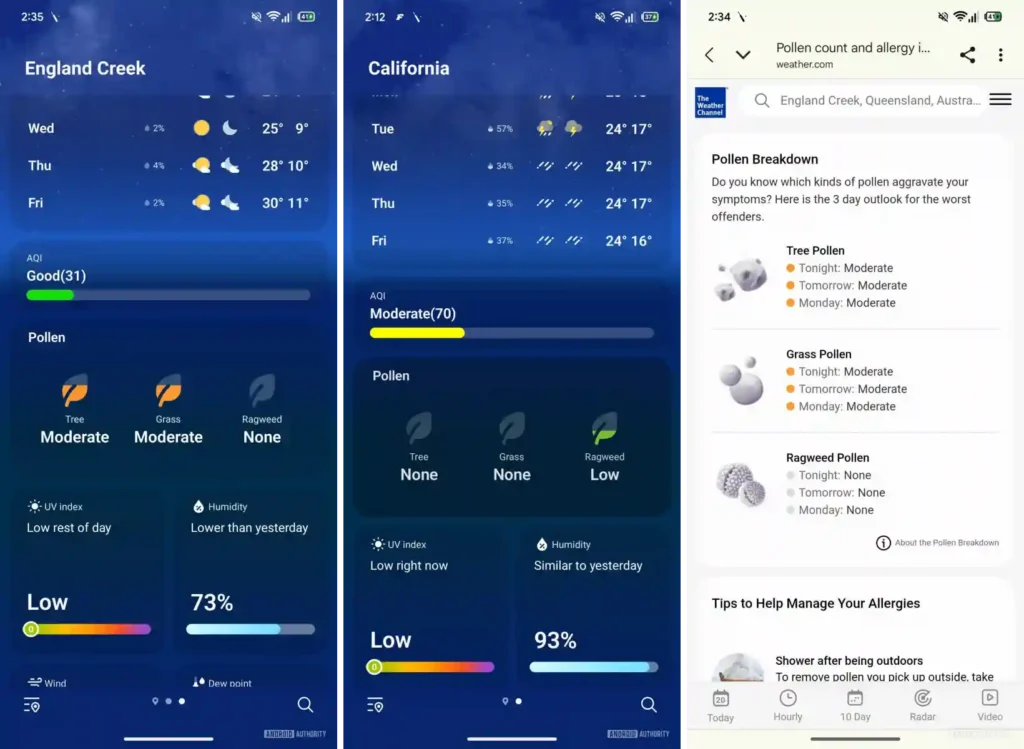
With One UI 8.5, Samsung is going to enhance the Weather widget on the home screen, while also integrating the ability to check how much pollen is in the air to manage your allergies via a dedicated pollen card. At the same time, the app will certainly show the tree, ragweed pollen and grass as well.

- Samsung Internet Browser:
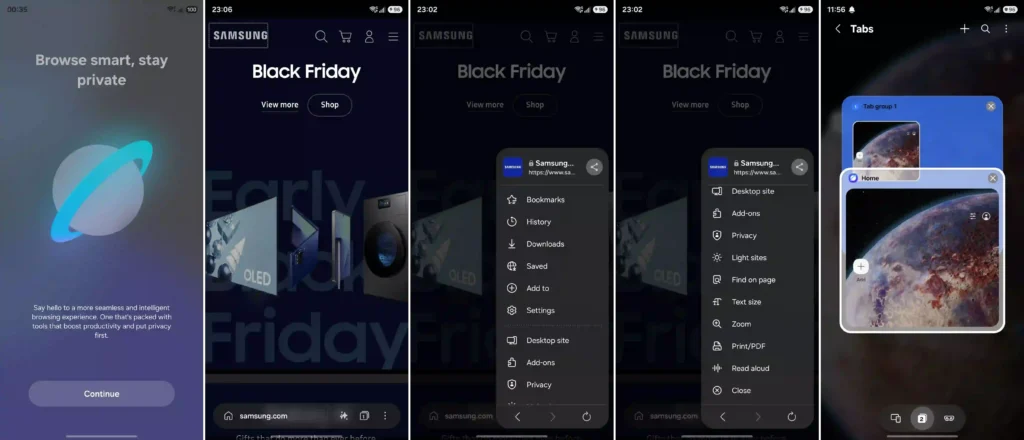
The One UI 8.5 build is all set to bring some new and major changes for Samsung’s dedicated browsing service, Internet Browser. This includes some fresh features, a new app icon, a new welcome screen, and much more. The address bar resembles Apple’s Liquid Glass design, alongside the bar has two separate sections. First up is the Home on the left, and then, assistant, tabs, and options menus on the right. Also, the menus will now have different opening animations, where they open up in a floating window, replacing the full-screen UI.

- Samsung Clock:
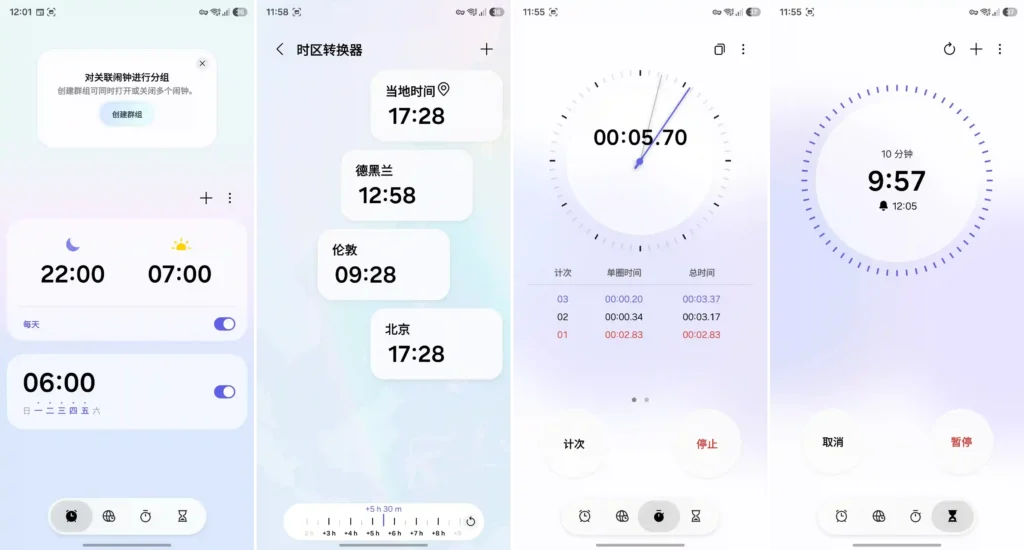
The Samsung Clock app is supposed to receive a major redesign with the One UI 8.5 version, where Samsung is focusing on a minimalistic interface with a stunning light blue colour and a subtle blur effect in the background that eventually gives a perfect gradient effect. At the same time, there is a more simplified layout of Alarm, world clock, stopwatch, and timer, enhancing them for a more modern yet cool look to the overall visuals.

- Samsung Calendar and Reminder
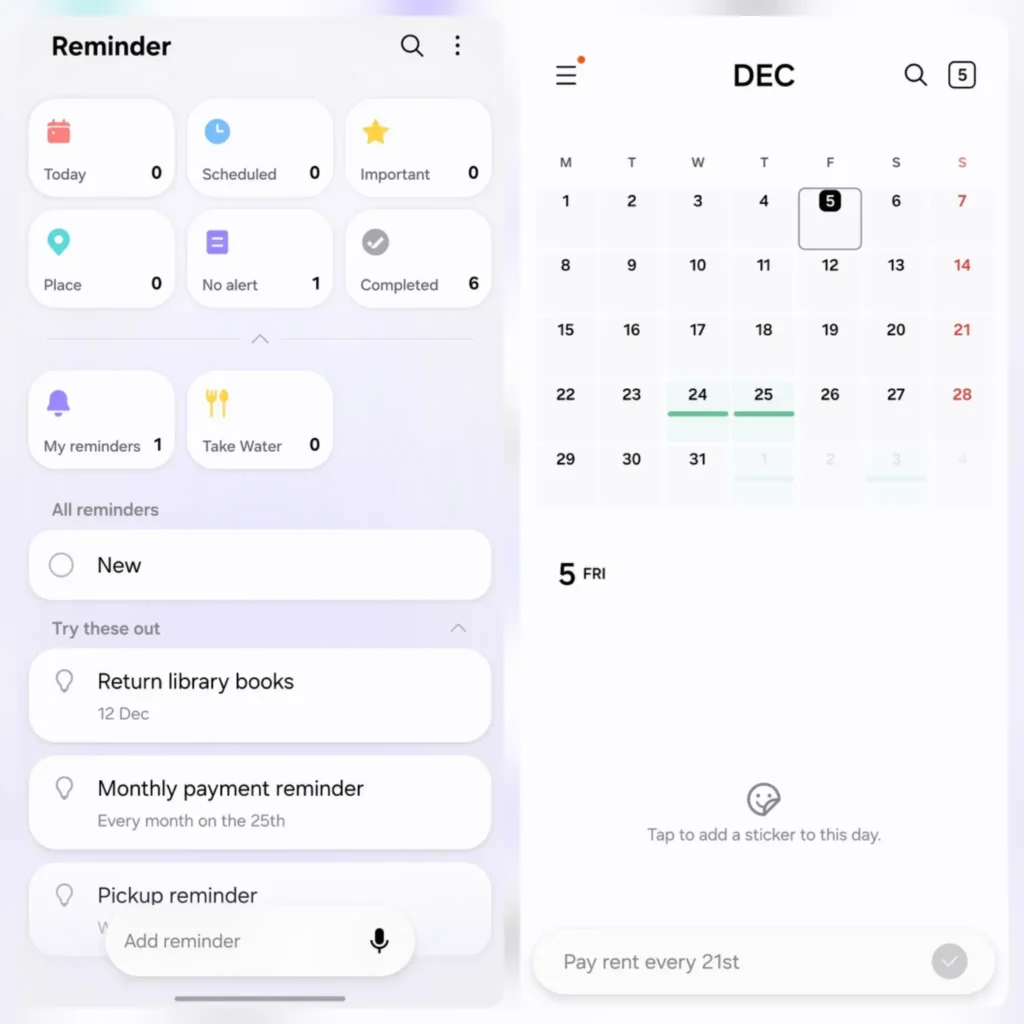
With the One UI 8.5 version, Samsung offers a sleek yet modern look to the entire interface of the Samsung Calendar and Reminder apps, where the leak showcases the rounded UI elements, aesthetic pastel colours, and more streamlined layouts that improve visuals, even when staying connected with other products in the Galaxy ecosystem. This time, Samsung is looking towards upgrading the UI that matches Apple’s liquid glass aesthetics to some extent, while also integrating various Galaxy AI tools when setting reminders.

- Calculator:
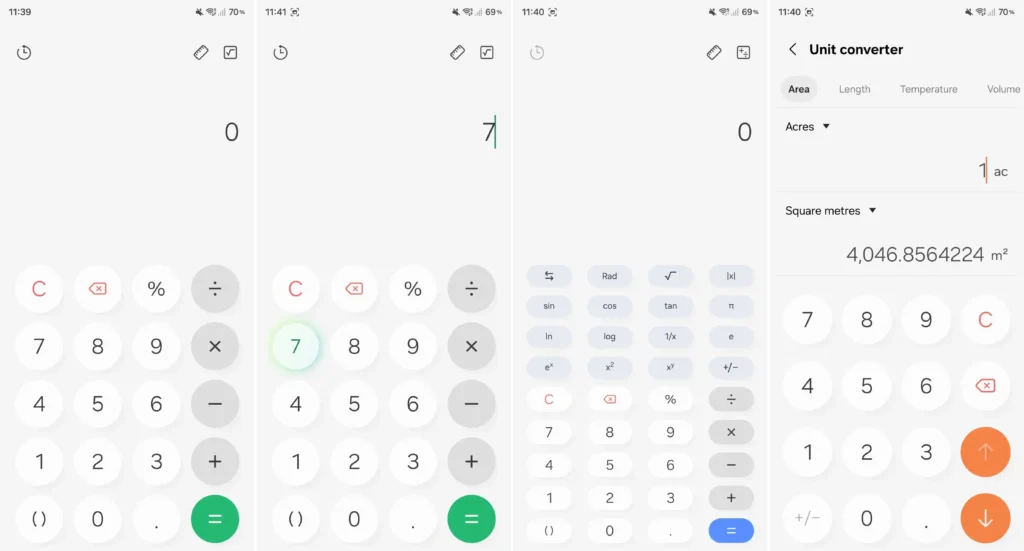
The One UI 8.5 tends to improve the Samsung Calculator app, providing it with a nice drop shadow effect for all the numbers and operator buttons. In other words, when a button is tapped, it apparently reflects a beautiful, glowing effect that results in creating a circular-shaped, subtle glow around the button. However, users will notice a slight change when operating the device in dark and light modes.

- My Files:
Samsung will be adding two new features in the My Files app with the upcoming One UI 8.5 version. First up, the app will offer short summaries (possibly a toggle) for PDFs and Texts before they are opened, which likely remains in the file browser view, while also suggesting that the app will not summarize any PDF or text files containing wrong or inappropriate matter.
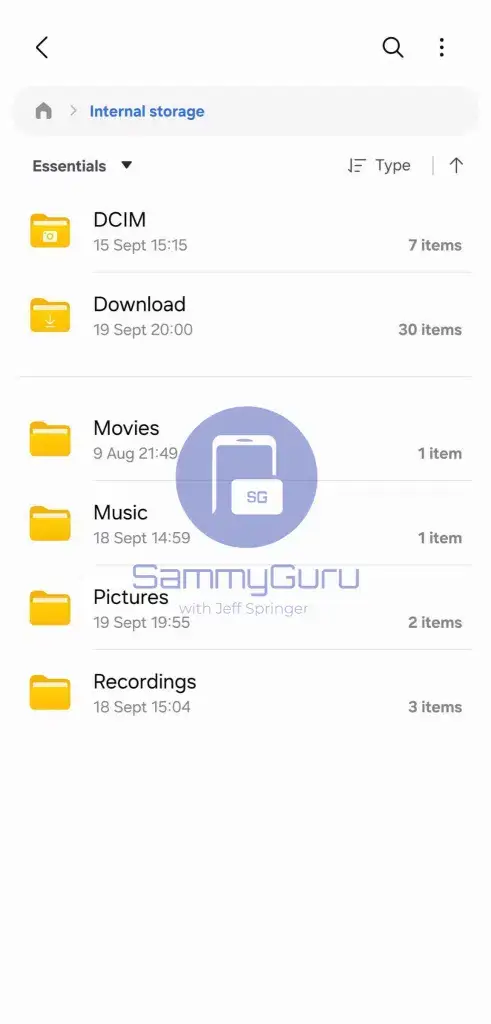
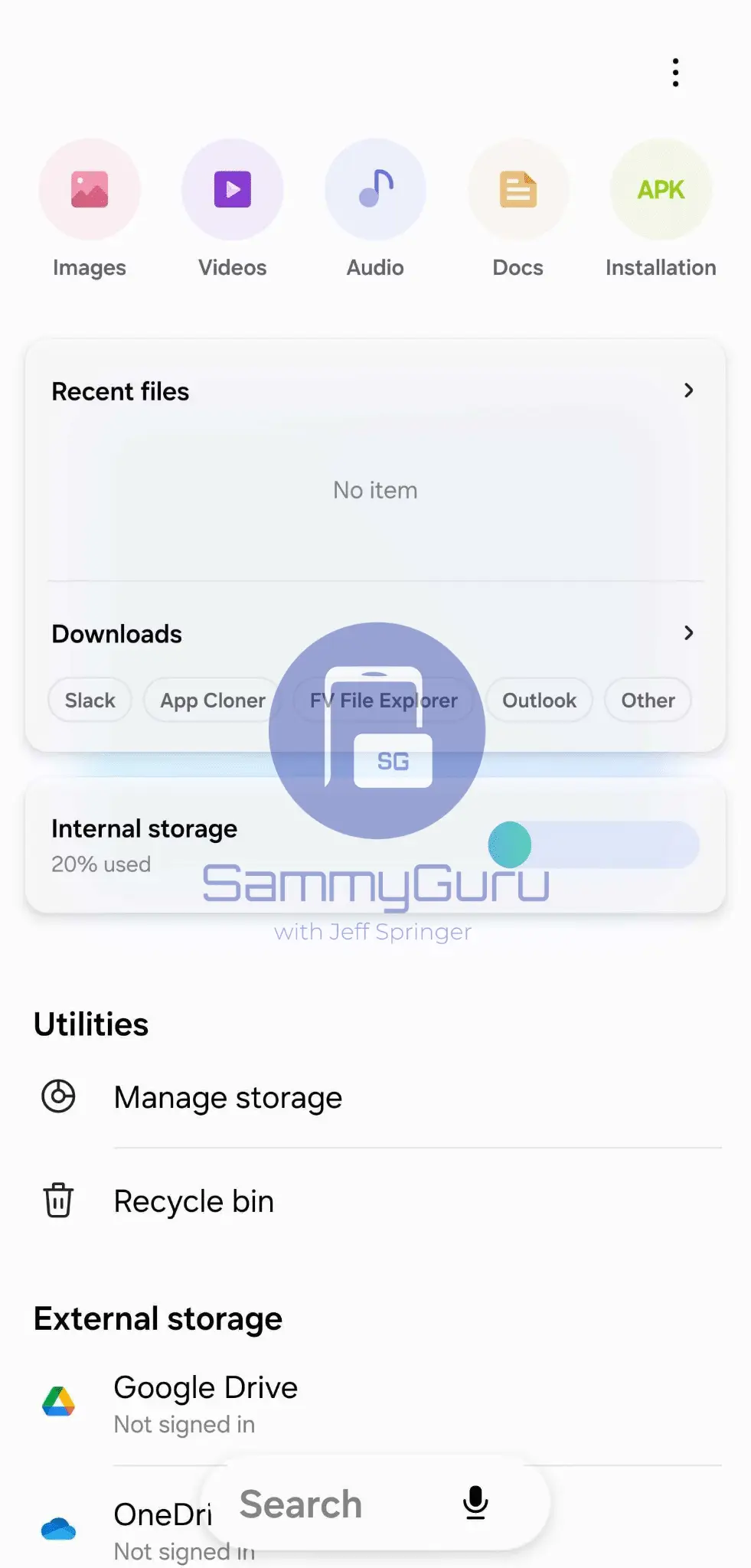
And next, it could suggest some ways to clear and manage the phone’s storage space for even more pictures or videos. At the same time, this will be possibly done by tracking the device’s location.
- Phone app:
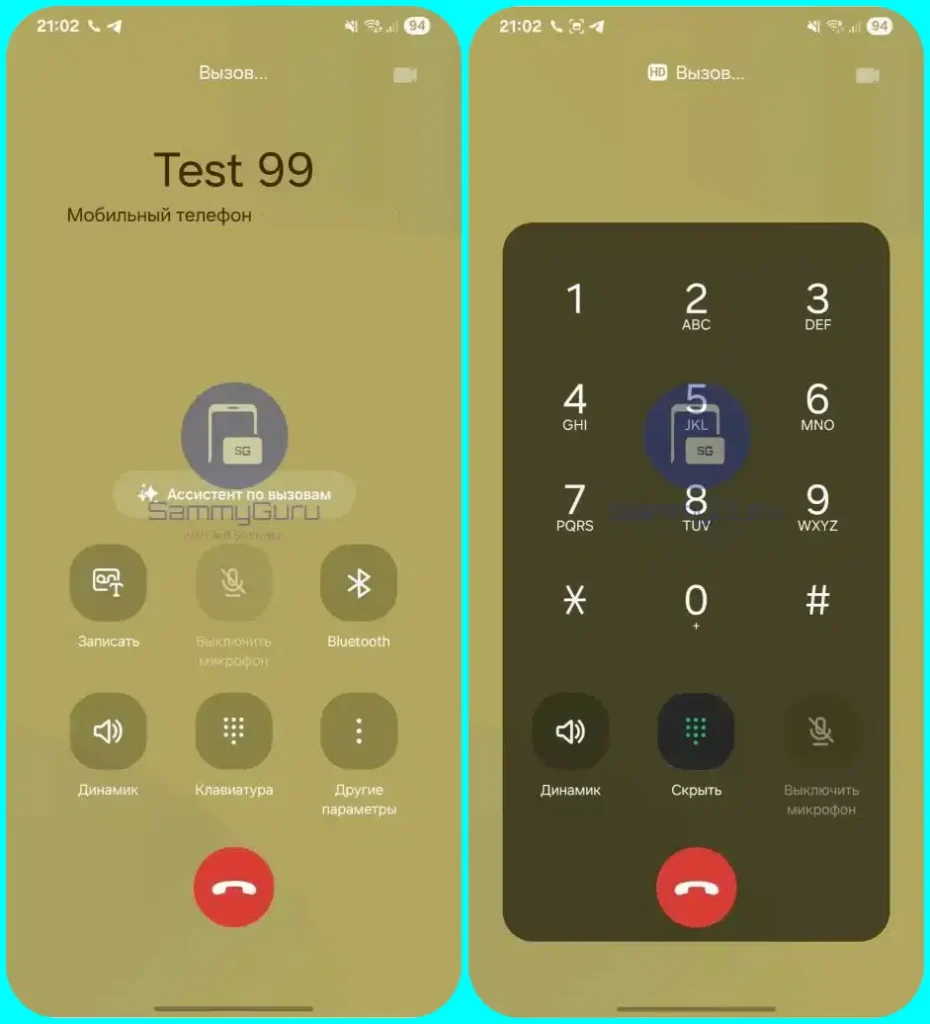
One UI 8.5 software is said to bring upgrades for the Phone app’s in-call screen interface, providing it a new look with squircle buttons, replacing the flat control board, and rearranging their layouts.

Temporarily Disable Auto Blocker:
It was previously rumored that Samsung’s One UI 8.5 is supposed to temporarily disable the Auto Blocker and now, with the courtesy of the leaked One UI 8.5 changelog, it is now confirmed that the newest OS will bring the ability to temporarily disable Auto blocker’s security protection, which is certainly a new option that allows you to turn it on automatically 30 minutes later such that the device remains protected as well.
The biggest enhancement to the Quick Panel:
Samsung is now letting users customize and resize the tiles present in their phone’s Quick Panel completely. The leaked One UI 8.5 firmware confirms the same and significantly showcases that the tiles in the control center are easily resizable and can be seamlessly moved from one place to another according to the users’ preference and convenience.


Improved Samsung Health via Antioxidant Index feature
With the integration of the newest Antioxidant Index feature with One UI 8 to the Galaxy smartwatches, it significantly opens the door for maintaining a healthier lifestyle. It allows users to measure their Antioxidant level at any time via their Galaxy Watch. However, the feature is only compatible with the Galaxy Watch 8 series and Watch Ultra models, at least for now.
More Improved Galaxy AI features:
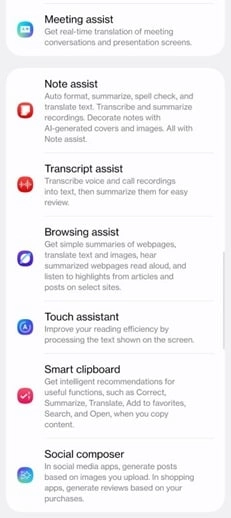
One UI 8.5 is said to enhance Samsung’s incredible Galaxy AI suite by adding new AI-powered features. The report suggested Galaxy AI features, including Meeting Assist, Touch Assist, Smart Clipboard, and Social Composer. However, these features are currently only limited to the China-based Galaxy devices.
Also, the improved generative edit, object eraser, and more improved Camera features are also supposed to be arriving with the One UI 8.5 version.

Restore Good Lock’s Notification feature:
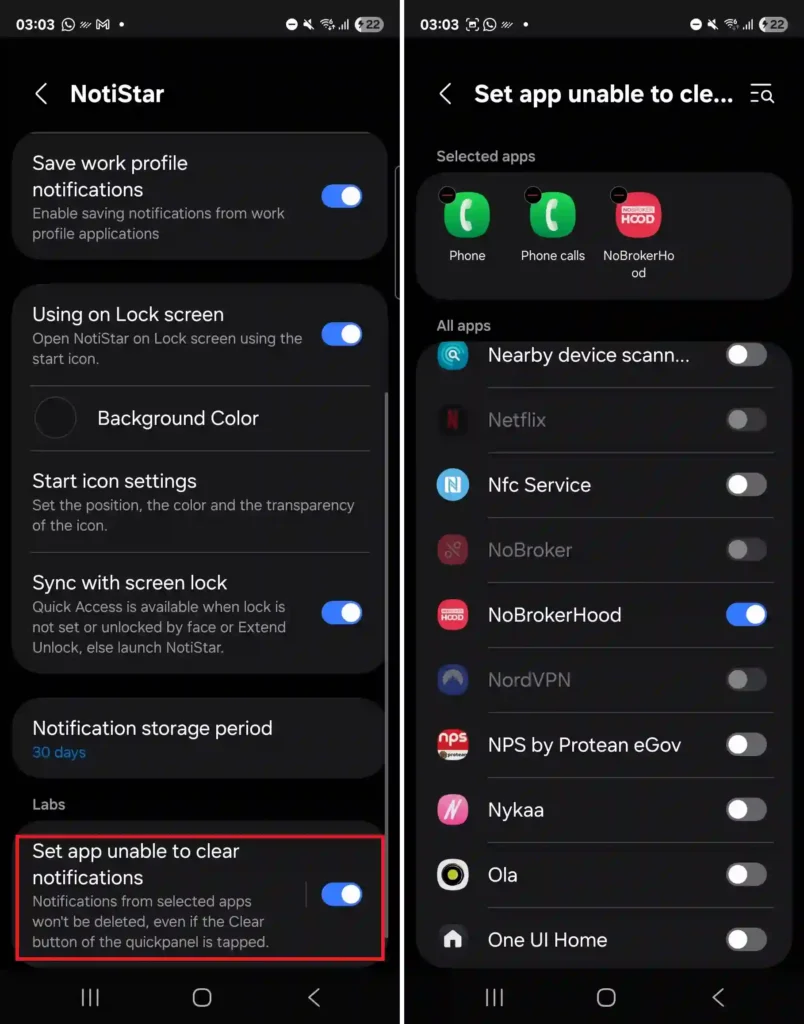
It was previously reported that several users reported an issue, where in One UI 8.0, Samsung apparently removed an essential option called ‘Set app unable to clear notifications’, which was a part of the Labs section of the NotiStar app and triggers system to not clear any notifications from various selected apps, even when the clear button of the quick panel is tapped. The official Good Lock manager ensured that the ‘Set app unable to clear notifications’ option will be back again in the upcoming One UI 8.5 version.

Other miscellaneous factors:
- One UI 8.5 also has something for the Galaxy S26 series. It was reported that One UI 8.5 is said to bring a new standard of charging, called Super fast charging 3.0 for the Galaxy S26 Ultra, and it could also introduce new AI capabilities, wireless charging upgrade as well.
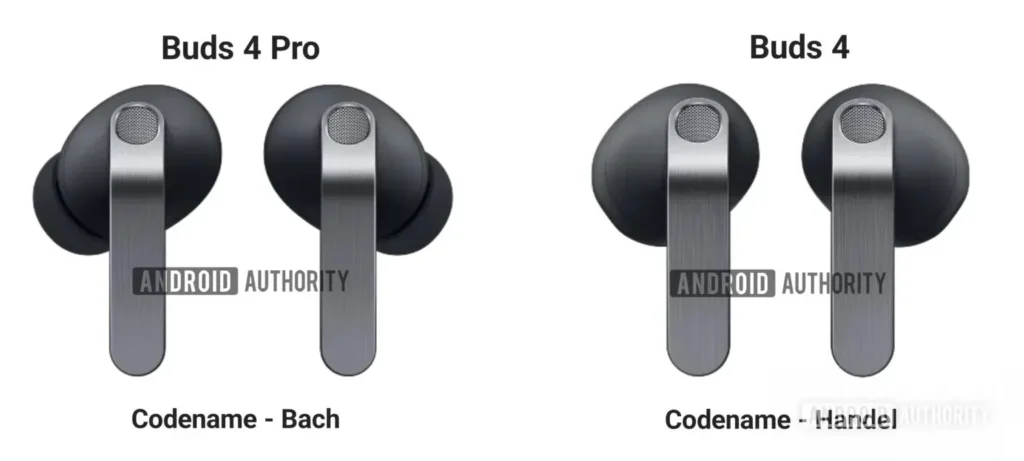
- Other than that, the leaked One UI 8.5 build also uncovered the design and key features of the upcoming next-generation Galaxy Buds 4 and Buds 4 Pro.