Apps & Services
Good Lock’s Keys Cafe Gets Its First Update of 2025

Samsung quietly rolled out an update to Keys Cafe, the Good Lock module that lets you customize your Galaxy keyboard. Version 1.8.05.4 is now live in South Korea and should reach other markets soon.
This isn’t a flashy feature drop. It’s a maintenance release that fixes real annoyances users have been dealing with.
The update tackles a frustrating bug where custom keyboard themes would randomly revert to default settings. If you’ve spent time styling your keyboard only to have it reset itself, this should finally stop that.

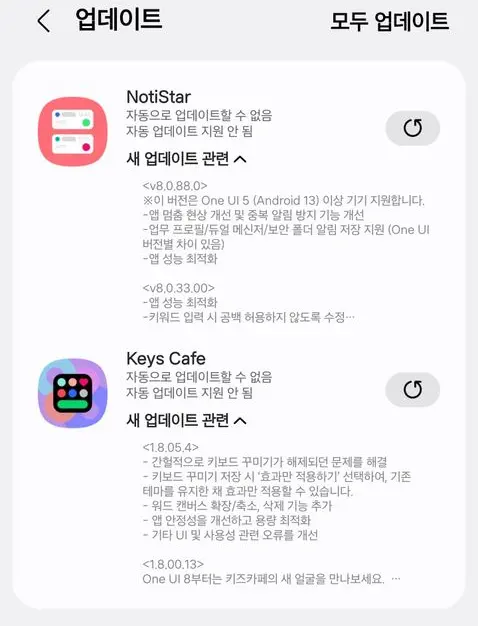
There’s also a new workflow option. You can now apply visual effects only when you hit save, instead of them changing on the fly as you edit. It’s a small thing, but it gives you more control over how your theme looks before committing to changes.
Word Canvas tools got some attention too. You can now delete, expand, or shrink elements more easily, which makes editing custom layouts less clunky.
Samsung also mentions the usual stability and optimization improvements. No specifics, but given the keyboard customization bug, those backend fixes probably matter more than they sound.
If you use Keys Cafe regularly, yes. The visual reset bug alone was annoying enough to justify downloading this. The last update dropped in September, so Samsung isn’t exactly rushing new features here.
You can grab the update through Good Lock or directly from the Galaxy Store. It’s not transformative, but it makes the app work the way it should have from the start.