Apps & Services
Samsung’s NotiStar Gets Smarter at Tracking Your Notifications

Samsung just updated NotiStar, the Good Lock module that turns your notification history into something actually useful. If you’ve ever dismissed a message and immediately regretted it, or wondered why phantom notifications keep appearing, this app exists to solve exactly those problems.
The new version 8.0.88.0 landed on the Galaxy Store with a handful of practical improvements. Samsung fixed app crashes that were annoying users and eliminated duplicate notifications that cluttered the history. More notably, NotiStar now saves notifications from work profile apps, including those running in Personal Area or Dual Account setups. That’s genuinely helpful if you juggle multiple app instances or separate work and personal profiles.

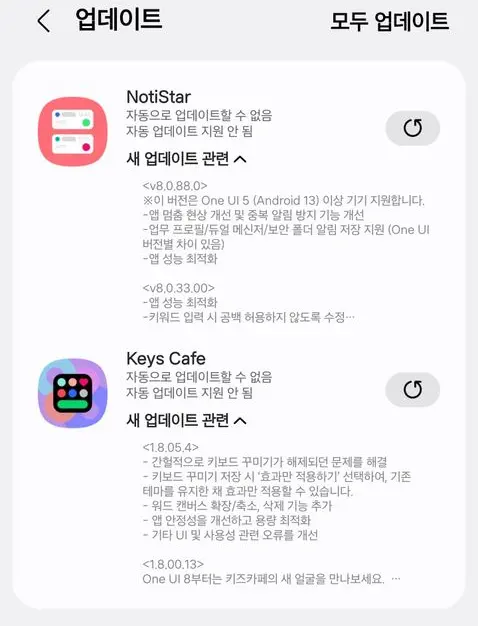
Performance tweaks round out the update, though Samsung hasn’t detailed what those involve.
This isn’t just another notification manager. NotiStar keeps a complete log of every notification you receive, even the ones you swipe away or delete. You can search that history, filter by keywords, or pin specific notifications to your lock screen. It’s particularly good at hunting down ghost notifications, those mystery alerts that vibrate your phone but never actually appear.
The catch is availability. You need a Samsung Galaxy device running One UI 5 with Android 13 or newer. And since NotiStar lives inside Good Lock, you’ll need to install that framework first.
Updating is straightforward. Open the Galaxy Store, tap Menu, then Updates. Or long-press the store icon and select Update Applications. You can also trigger the update directly through Good Lock itself.
For Samsung users who want more control over their notification chaos, this update makes a capable tool slightly more reliable.