News
Star Citizen System Requirements (2026): Can You Run It?

Star Citizen system requirements are steeper than almost any other PC game on the market, and that’s before you factor in the alpha’s habit of eating far more RAM than the official numbers suggest. Cloud Imperium Games lists a 64-bit quad-core CPU, 16 GB of RAM, a 4 GB VRAM graphics card, and 150 GB of SSD space as the bare minimum to launch the game.
NEWS SUMMARY CALLOUT
- Minimum: Quad-core i7 or AMD Excavator-class CPU, 4 GB VRAM GPU, 16 GB RAM, 150 GB SSD
- Recommended: Eight-core CPU, 8 GB VRAM GPU, 32 GB RAM, 150 GB SSD
- Star Citizen is Windows-only — there’s no official macOS or Linux support
- Real-world RAM usage during play routinely runs well above the listed 16 GB minimum
Star Citizen PC System Requirements
Star Citizen is developed and published by Cloud Imperium Games (CIG), currently in persistent alpha for PC, with no release on consoles, macOS, or Linux. Because the game is still being actively built, CIG is upfront that these numbers can shift with future patches.
Here’s the official breakdown, straight from Cloud Imperium Games’ support pages, covering both the Star Citizen Persistent Universe and Squadron 42.
| Component | Minimum | Recommended |
|---|---|---|
| OS | Windows 10 (latest Service Pack) | Windows 10 (latest Service Pack) or Windows 11 |
| CPU | Quad-core — Intel i7 (Haswell or later) / AMD Excavator or later | Quad/eight-core — Intel i7 (Haswell or later) / AMD Ryzen 5 or later |
| GPU | DirectX 11.1-compatible card with 4 GB VRAM | DirectX 12-compatible card with 8 GB VRAM |
| Memory | 16 GB | 32 GB DDR4 |
| Storage | 150+ GB SSD | 150+ GB SSD |
Source: Official Roberts Space Industries Knowledge Base
Star Citizen requires a GPU capable of running AVX, AVX2, and FMA3 instructions, along with a card that supports Direct3D 11.1 and Vulkan 1.2. CIG’s examples of minimum-spec cards include the NVIDIA GTX 1060, the AMD RX 5700, RX Vega 56, and RX 460, and Intel’s A380 or UHD Graphics 730. Keep your graphics drivers current — CIG specifically calls this out as a requirement, not a suggestion.
[NOTE] Star Citizen won’t install on macOS or Linux at all. If you’re on either platform, the only route in is a Windows partition or a compatible virtual machine setup, and even then, performance isn’t guaranteed.
Recommended Specs for Optimal Performance
The recommended tier is what CIG suggests for a smoother trip through the ‘verse, but it’s worth being honest about the gap between “recommended” and “comfortable.” An eight-core CPU and 32 GB of DDR4 are the official recommendation, and in practice, that RAM figure matters more than almost anything else on this list.
During a busy session in a populated landing zone, Star Citizen’s client process can consume well beyond 16 GB on its own. When physical memory runs out, Windows falls back on the page file, and that’s when stutters and frame drop start showing up that no GPU upgrade will fix. Players building a rig specifically for this game are generally better served jumping straight to 32 GB rather than treating 16 GB as a long-term option.
[PRO TIP] If you’re choosing between a faster CPU and more RAM on a tight budget, put the money into RAM first. Star Citizen’s memory footprint has consistently been the more common bottleneck across alpha patches, and running out of it mid-session tends to hurt more than a slightly lower clock speed on the CPU.
Storage speed matters just as much as capacity. CIG lists 150 GB of SSD space as required, not optional — the game does not run acceptably from a mechanical hard drive, since Star Citizen streams enormous amounts of terrain, ship, and city data on the fly. An NVMe drive will noticeably cut load times and smooth out quantum travel transitions compared to a SATA SSD, even though CIG’s official spec sheet doesn’t distinguish between the two.

Can My PC Run Star Citizen?
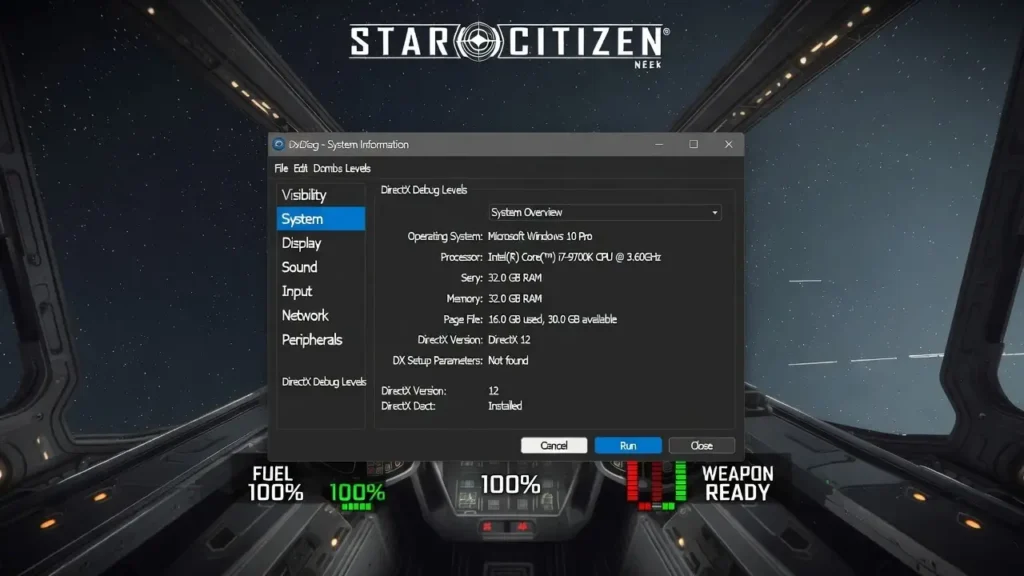
The quickest way to check is to compare your specs directly against the table above using Windows’ built-in tools. You don’t need to install anything extra to get a full readout of your CPU, GPU, RAM, and storage.
- Press the Windows key + R to open the Run dialog.
- Type dxdiag and press Enter.
- Review the System tab for your CPU, RAM, and OS version.
- Click the Display tab to check your GPU model and available VRAM.
- Compare each result against the minimum and recommended columns above.
CIG also runs a Telemetry Dashboard that estimates expected performance based on real player hardware data. It’s a rough estimate rather than a guarantee, since server load and location both swing frame rates in ways no spec sheet can predict, but it’s a useful second opinion before you commit to a purchase or an upgrade.
Performance Tips for Lower-End PCs
If your rig sits closer to the minimum spec than the recommended one, a few settings changes go further than you’d expect:
- Drop Graphics Quality to Medium or Low before touching resolution — Star Citizen’s shadow and volumetric settings are the heaviest cost for the least visual payoff.
- Set Anti-Aliasing to a lighter mode like TSR or FSR instead of full native rendering.
- Cap your frame rate a few frames below your monitor’s refresh rate to reduce stutter from inconsistent frame pacing.
- Close background applications before launching, especially browsers — Star Citizen’s RAM appetite leaves little headroom to share.
- Install the game on your fastest available drive, even if that means moving other titles off it temporarily.
[WARNING] The first launch after installing, and after any major patch, triggers a shader compilation pass that can take 15 to 45 minutes on many systems. The loading bar can appear frozen during this stretch — that’s expected behavior, not a crash, so avoid force-closing the launcher.
Frequently Asked Questions
What are the minimum system requirements for Star Citizen?
Star Citizen’s minimum specs call for a 64-bit quad-core CPU (Intel i7 Haswell or later, or AMD Excavator or later), a DirectX 11.1 graphics card with 4 GB of VRAM, 16 GB of RAM, and 150 GB of free SSD space on Windows 10 or 11.
Can Star Citizen run on 16 GB of RAM?
It will launch on 16 GB since that’s the official minimum, but real-world sessions in populated areas often use more than that, especially during longer play sessions. Most players report noticeably smoother performance and fewer stutters once they move up to 32 GB.
Does Star Citizen work on Mac or Linux?
No. Cloud Imperium Games does not officially support macOS or Linux for Star Citizen or Squadron 42. Windows 10 or Windows 11 is required to install and run the game through the RSI Launcher.
Can I run Star Citizen on a hard drive instead of an SSD?
CIG lists an SSD with at least 150 GB free as a requirement, not a suggestion. Installing on a mechanical hard drive typically leads to long load times, texture pop-in, and stuttering because the game constantly streams large amounts of data during play.
How much VRAM does Star Citizen need?
The minimum spec calls for a graphics card with 4 GB of VRAM, while the recommended tier asks for 8 GB. Cards below 4 GB VRAM are not supported and won’t meet the driver requirements for Direct3D 11.1 and Vulkan 1.2.
Why does the loading screen freeze on first launch?
That’s shader compilation, not a crash. It happens on first install and after major patches, and it can take 15 to 45 minutes depending on your CPU and GPU. Let it run to completion rather than closing the launcher.