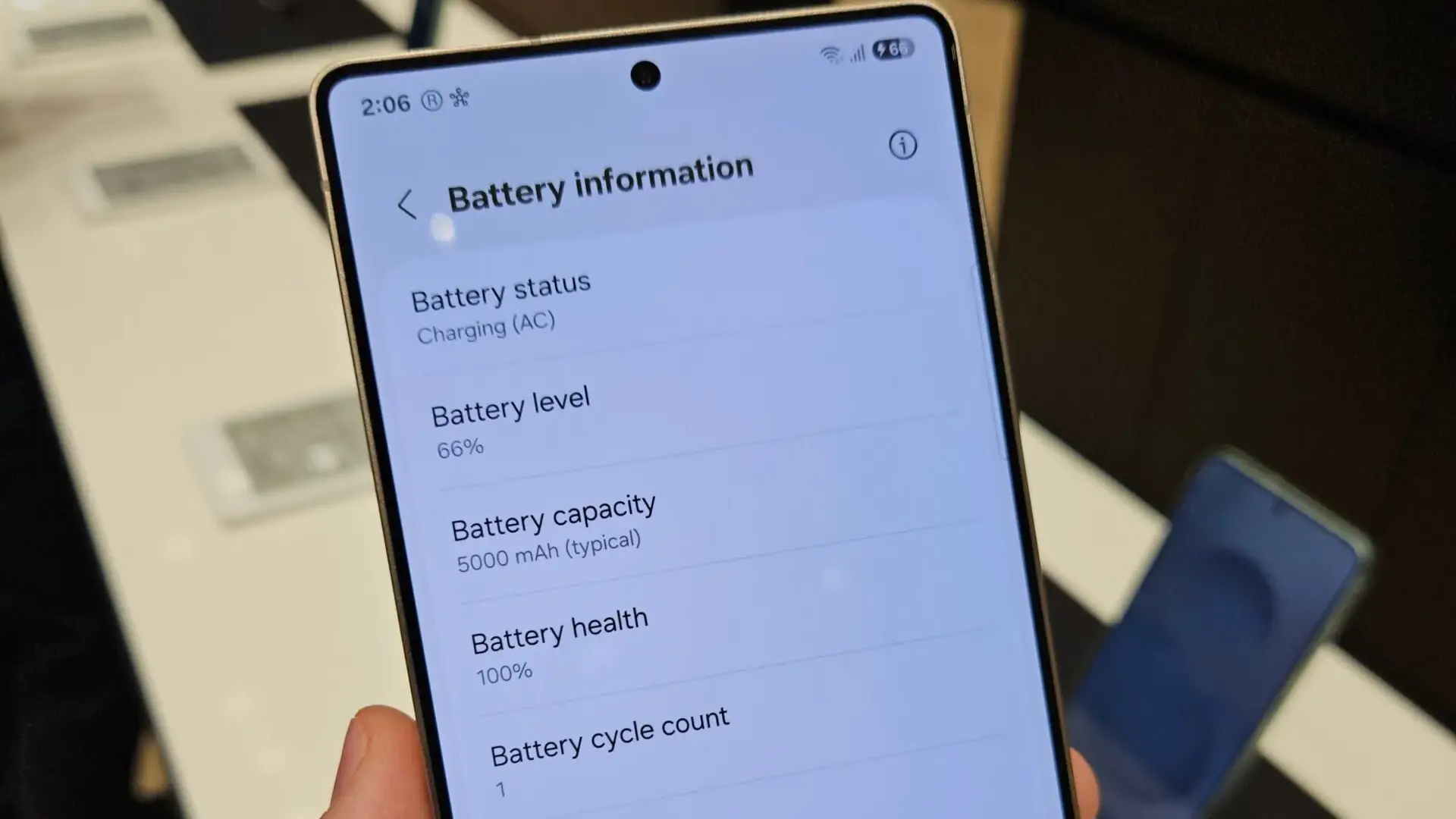
Samsung Galaxy S25 series has already received the One UI 8.5 beta update, which brings a convenient enhancement to the Power Saving feature for improving the phone’s battery life.
The latest One UI 8.5 beta update brings several impressive UI enhancements, tweaks, and convenient & notable new features. Apart from this, the update improved Power Saving (via) to extend the Galaxy phone’s battery life.
Galaxy users running One UI 8.5 can easily use the improved Power Saving to enhance their phone’s battery life by navigating a few easy steps; go to the Settings app >> tap Battery >> scroll down to Power Saving >> tap the toggle at the top of the page to turn Power Saving on.
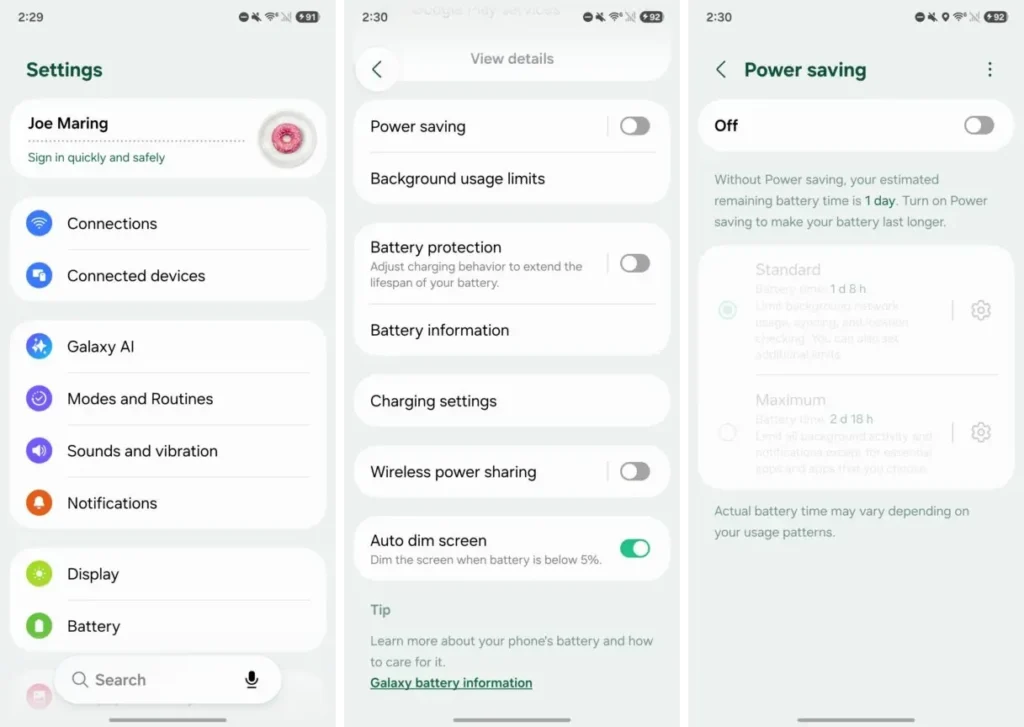
Once the user is done with enabling the Power Saving, two modes will appear, as mentioned below –
- Standard and Maximum
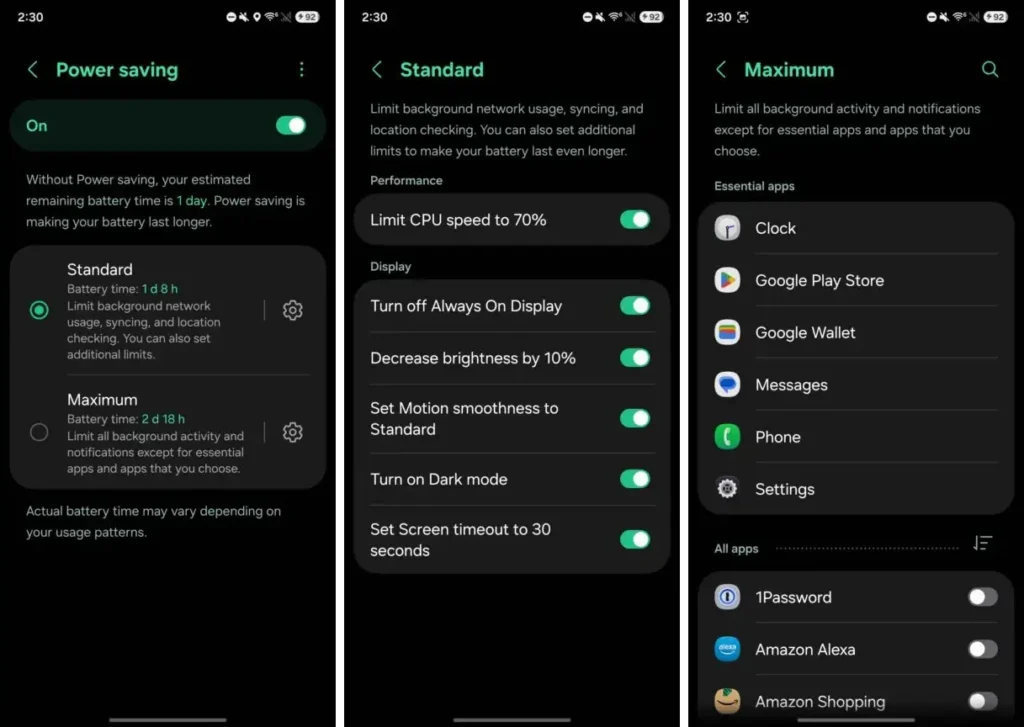
The standard mode is the default choice; users can change the mode as per their preference. While enabling the mode, several changes will occur on the device, which are as follows –
- Limit CPU speed to 70%
- Turn off always-on display.
- Decrease brightness by 10%
- Set motion smoothness to Standard (60Hz)
- Turn on dark mode
- Set screen timeout to 30 seconds.
However, these are the usual changes that Power Saving has made in previous One UI versions. Notably, while tapping on the gear icon next to Standard allows users to disable any of the settings user don’t want, Power Saving changes.
In case, user selects Maximum mode, that will also include all of these changes as mentioned above, but it also includes an additional option limiting all background activity and notifications except for “essential apps,” which include Clock, Google Play Store, Google Wallet, Messages, Phone, and Settings. Users can also enable any other app if they want to run normally, while Maximum Power Saving is active.